
Webflow vs. AI-Native Development: How to Choose the Right Stack for Your Site

TL;DR
- For enterprise-grade marketing sites, Webflow remains the right choice: managed security, a reliable editing experience at scale, and a platform built to handle complex content operations without ongoing infrastructure overhead.
- AI-native custom builds, exemplified by tools like Ship Studio, fit lightweight marketing sites, landing pages, and teams that need to experiment fast without enterprise-level content management requirements.
- The security profiles differ: Webflow limits what anyone can touch by default, while an AI-native build hands a team full control (and full responsibility for what that control enables).
Here’s what I know about why platform debates usually go in circles: Teams default to Webflow (or another mainstream platform) because it's the one their agency already knows. Or they gravitate to a custom build because someone on the team happens to know how to code. Neither reason usually has much to do with what the specific project needs.
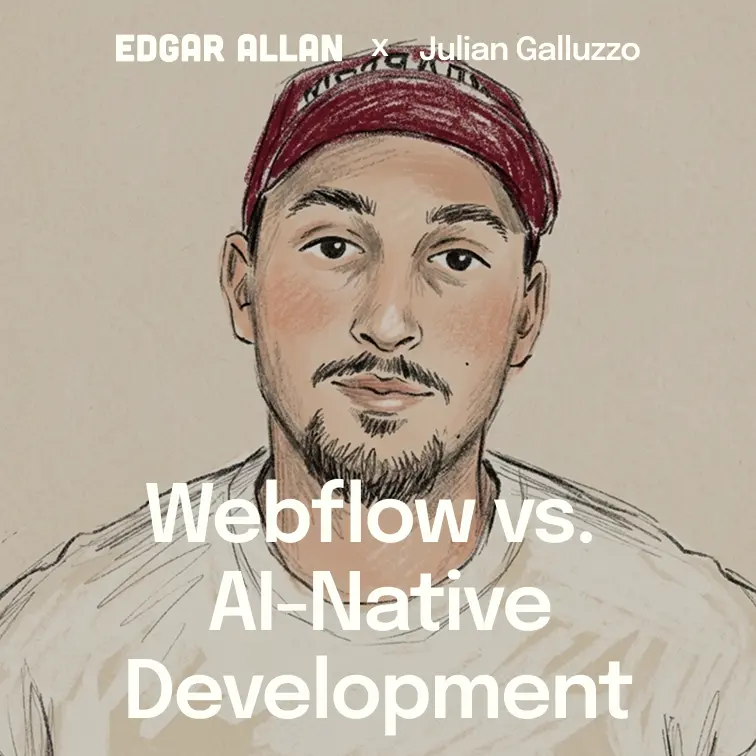
I recently sat down with Julian Galluzzo, a developer who spent years pushing Webflow to its limits before migrating the Memberstack marketing site to a fully AI-native stack using Claude Code, GitHub, and Vercel. His experience on both sides of that decision makes the tradeoffs concrete in a way abstract platform debates rarely do. What follows is the framework that conversation produced: what each stack is built for, what it costs, and which one your project needs.
Memberstack cut landing-page turnaround from days to hours
Julian's team at Memberstack needed to rebuild their marketing site, and the default assumption was Webflow. Then someone asked a simple question: why?
So, the team backed up and looked at what they needed versus what the platform constrained, and made the call to migrate to a fully AI-native stack. Claude Code handled the build, GitHub managed version control, and Vercel handled hosting. For a lean marketing site at a product-led SaaS company with a technically capable team, the tradeoffs made sense, and the launch went smoothly. Julian's team blocked the whole day expecting to fight fires, but nothing ignited.
What mattered more than the launch was what came after it. Standing up a new landing page from a copywriter's document to fully live on the site, previously took meaningful developer time…but it started happening in hours. A/B testing, once coordinated through Optibase with manual Webflow implementation, became fast enough to run as a standard part of the weekly workflow. Julian connected PostHog directly into the development environment, so launching a new experiment meant asking Claude Code to build a variant, wire it to PostHog, and deploy it in a single session.
An AI-native build is a site where AI writes the code, manages the deployments, and often builds the next iteration, with a technically fluent team supervising the work instead of typing every line of it.
That compression in the testing cycle is where the economic case for AI-native lives: more experiments, faster learning, and better conversion rates over time, most valuable for small, technically capable teams running lightweight marketing sites.
Enterprise teams pay for security they don’t have to think about
An enterprise content operation with 30 editors and quarterly governance reviews needs a platform built to handle that complexity by design, and that's where Webflow's advantage shows up. The visual editor works out of the box for large content teams without developer involvement.
Webflow manages security and uptime instead of leaving it to someone on the agency's payroll, and for organizations where a breach or an outage carries real consequences, that's the reason the platform gets chosen. It's also why our Visibility Engineering and Optimization methodology treats Webflow as the default enterprise build target for AEO work.
Full control means full responsibility
Security is where the choice gets concrete fastest. While working on Ship Studio, his open-source project for AI-native builders, Julian had Claude Code flag malicious code attempting to execute on his machine. The trail led to a developer the team had hired to review their code, compromised through a fake job interview scheme, whose repository access let attackers push malicious code across every repo he could reach.
Claude Code caught what a manual review might have missed. But the deeper lesson predates AI by decades: managed platforms like Webflow limit what anyone can do with the codebase, while custom builds hand you full control and full responsibility for what that control enables. Branch protections requiring code review before anything reaches the live codebase would have stopped the incident, and Julian's team has them now.
A second risk is worth naming: codebases maintained through repeated AI edits can drift in ways that are hard to predict. A build can run cleanly through thirty updates and produce something unexpected on the thirty-first, a security gap, an accessibility regression, a change a human reviewer would have caught. Every AI coding tool faces this same risk as unsupervised iteration accumulates, and no one has solved it yet. Branch protections and code review reduce it; they don't eliminate it.
Webflow's managed security is the safer bet for enterprise clients, regulated industries, or any organization where a breach carries serious consequences. For a lean SaaS site with a technical team that can own the stack, the speed advantages are real and the security responsibility is manageable with the right setup from day one.
Team capacity decides the platform more than pricing does
The objections agencies hear most often when moving away from Webflow come down to editing experience and price, and both are lighter than they first appear.
Webflow's visual editor lets large content teams make changes without developer involvement. A headless CMS like Sanity can reach comparable ground for a custom build, but getting there takes setup work Webflow handles automatically: real overhead for an enterprise team with 30 editors, manageable for one or two marketers.
A custom build on Vercel or Cloudflare's free tier costs less than a Webflow subscription for a small site, but at enterprise scale the hosting cost stops being the variable that matters. What matters is whether a large team can use the platform without constant developer involvement. For a lean team running aggressive experimentation, the developer time an AI-native stack saves can outweigh the hosting it costs to stay managed.
Webflow vs. AI-native, side by side
The recommendation
Build on Webflow when the site has to support complex content operations, multiple editors, regulated requirements, or AI search visibility at enterprise scale. If that's the call, our website migrations team handles the build end to end. Build AI-native when the site is lightweight, the team is technically capable, and iteration speed matters more than out-of-the-box governance. Set up branch protections and code review before you need them either way. The Ship Studio incident happened in part because those safeguards weren't in place yet, and they're not complicated to add.
If the real question underneath the platform question is positioning, and not tech stack, our AI brand score assessment is the place to start. Otherwise, talk to us. We'll help you figure out which stack fits your content operation.
Next up: We cover our broader perspective on What AI-Native Development Means for Agencies, Developers, and the Future of Web Work.
FAQs
When does it make sense to use Webflow versus an AI-native custom build?
Webflow is the right choice for enterprise-grade marketing sites: complex content operations, multiple editors, regulated industries, or organizations where a security breach would have serious consequences. The platform manages security, provides a reliable out-of-the-box editing experience, and scales for teams that cannot afford to own infrastructure overhead. AI-native custom builds earn their place on lighter-weight projects: lean SaaS marketing sites, landing page programs, and teams where iteration speed is the primary variable and technical capacity exists to manage the stack. The decision starts with an honest assessment of what the project needs.
Is an AI-native custom build secure enough for a production marketing site?
For lightweight marketing sites with technically capable teams, yes, when the right safeguards are in place from day one: branch protections, code review processes, and active monitoring. For enterprise sites, regulated industries, or applications handling sensitive data, managed platforms like Webflow are the better choice, because they limit what anyone can do with the codebase by default. Whether a build is secure enough comes down to the safeguards a specific team puts in place.
Can clients still edit their own content on an AI-native custom build?
Yes, with intentional setup. Using a headless CMS like Sanity, developers can build a component-based editing experience that gives clients visual control over their content: adding sections, editing copy, managing SEO metadata, and publishing without touching code. Webflow delivers this out of the box, while a custom build requires configuration work to reach the same place. For large enterprise content teams with complex governance needs, that out-of-the-box experience is a meaningful advantage. For smaller teams with simpler workflows, the setup overhead is manageable.
How does the choice of web platform affect AEO and AI search visibility?
Both platforms can support strong AEO performance when built correctly. Edgar Allan's Webflow builds are optimized for AI search through our Visibility Engineering and Optimization methodology: structured content, clear semantic architecture, and brand clarity that gives AI systems enough signal to cite accurately. Custom AI-native builds can achieve similar results with intentional planning, but the architecture has to be designed for extractability from the start. A well-built Webflow site with clear positioning will outperform a poorly structured custom build in AI search every time.
What does an AI-native custom build cost once you factor in maintenance?
The sticker price is only part of it. Budget for ongoing security monitoring and dependency management, since nothing handles that automatically the way Webflow does. Factor in onboarding time for whoever ends up editing content day to day, and expect the first few projects to run slower while the team builds fluency with the stack. The economic case for AI-native builds still holds, with faster iteration and lower overhead on routine changes, but only if that maintenance work is priced in from day one.